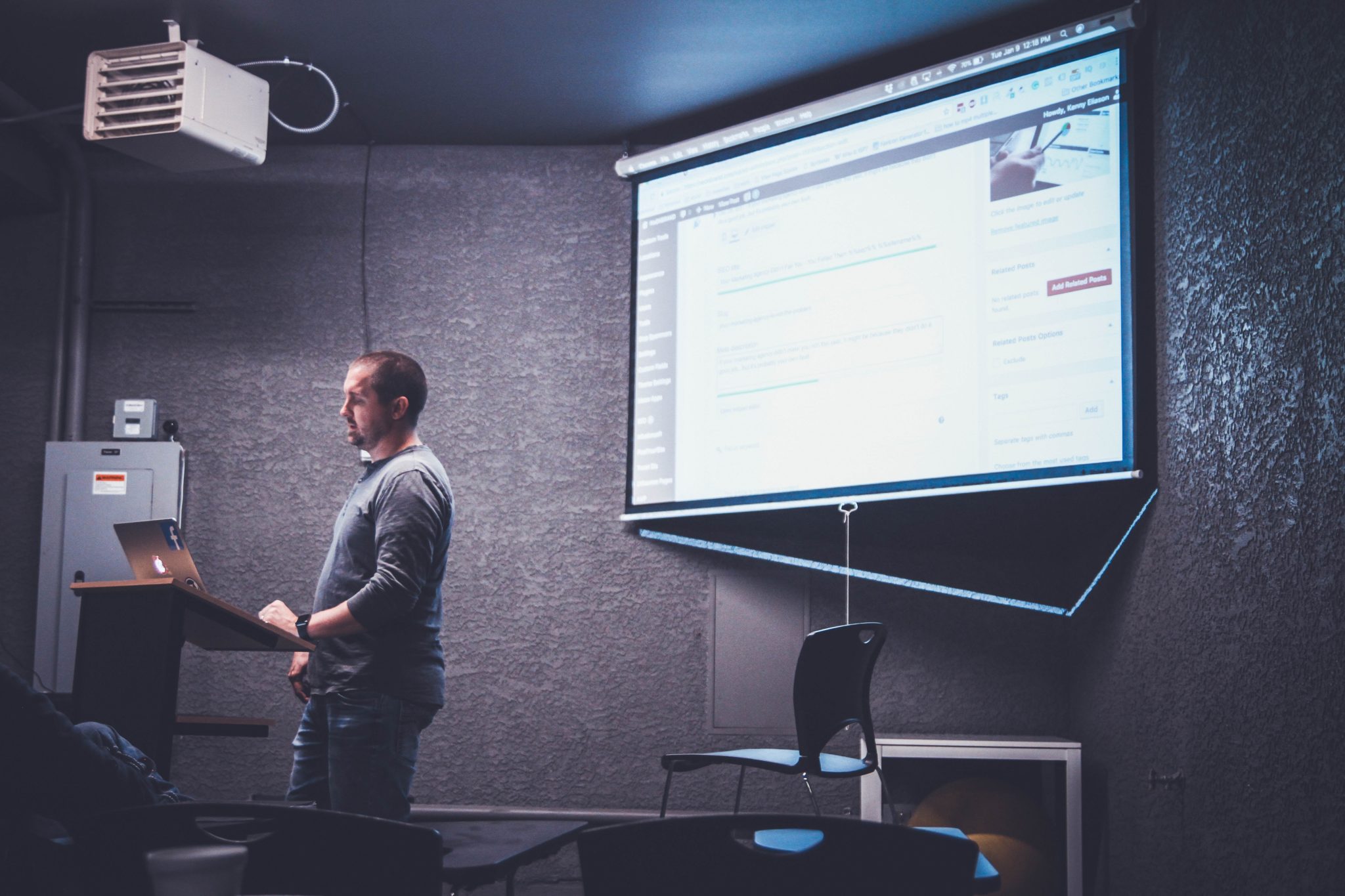
A lot of restaurants and businesses ask us for the best solution to broadcast music in their shops without having to worry about getting a licence from the record company, ARIA and/or from AMCOS.
The purchase of a CD or a Spotify subscription only gives you the right to play the music privately, and to pass on the same physical disc to another person. The Copyright Act allows you to “format shift” music for personal use, for example, to copy from CD format to MP3 format in certain limited situations. However, this does not extend to use of the music on commercial premises.
That’s why we created a Royalty-Free Record Label we will use to source the best locals artists, sign them and let you broadcast it for free in your shops.
It’s still a work in progress with only a few songs but until then we also found the best royalty free music already signed and created Spotify playlists you can stream worry–free.
“Alexa, write me an article about voice-controlled TVs.”
Ok, so we’re not quite at that point yet, but it’s only a matter of time.
Voice control for TV has been a fast evolving feature on phones and tablets but the move to TVs has been a slower process – until now.
Here’s what the TV landscape looks like right now.
Most major TV brands are either using Google Android, Amazon Fire systems, or making their own systems compatible with these two software.
Brands like Samsung, Sony, Panasonic and LG all carry models that use Google Assistant and Amazon’s Alexa.
These systems not only allow you to control your TV with voice commands, they also open up a new world of functionality that can even extend to other devices in your home.
Let’s take a look at how it all works.
A Quick Recap of Voice Control
Voice control is a system where artificial intelligence (AI) uses speech recognition to understand our verbal instructions and to carry them out.
The beauty of advanced AI with speech recognition is that you can talk to it like you would a person. Speech recognition software works with a range of accents, understands casual conversations, and can handle most common slang. It even learns as you use it, becoming better at understanding you over time.
Today’s AI can perform complex multi-part tasks almost instantly, such as finding the highest-rated restaurant within a 5km radius.
Voice Control for TVs
LG & Samsung LG has voice control through its own speech-recognising AI called ThinQ, as does Samsung with its equivalent – Bixby. Both of these companies have made their systems compatible with Google Assistant and Alexa to extend their functionality and compatibility with other Google and Amazon devices.
Sony Sony doesn’t have its own on-device AI but does produce Android TVs which allow voice control through both Google Assistant and Alexa.
Panasonic Panasonic has a more round-about method. First, you’ll need to invest in a compatible smart speaker. Then you can download the Google Assistant or Alexa apps onto the TV which can be set up to allow voice control through the speaker.
Regardless of how they get there, the end result is the same – the TVs will do what you tell them to do.
Who needs the remote anymore?
Voice commands handle all the usual functions of a remote like changing channels and adjusting volume and brightness. They also cover fiddly tasks like setting a series to record or having your TV switch automatically to your favourite show when it’s on. But the tech is more than just an upgrade on control, it completely changes the way you navigate content.
The New Way to Navigate
With powerful AI handling all your instructions, you have a lot of room to improvise. You’re not limited to naming shows or channels. You can search for content and give commands using information like cast members, scheduling, networks, and program content.
For example: “Put on that superhero movie with Ryan Reynolds and Josh Brolin” is actually something you can say to your TV now.
Voice Control All Your Apps Too
Once we sat with our eyes glued to the TV. Then they were glued to our smartphones. In 2019, they return to their home screen thanks to the ability of TVs to host voice-controlled applications previously limited or better suited to smartphones.
Consider the Youtube app. It looks a lot better on TV, but having to search by typing with the remote is usually more trouble than it’s worth. With voice commands, that problem no longer exists, so now you can watch famous people eating hot chicken wings in 4k to your heart’s content.
Talk to Other Devices through Your TV
TVs with Amazon or Google technology can interact with other compatible devices in your home, meaning things like lights, speakers and even kitchen appliances can all be controlled with voice commands to your TV.
Yes, you can already do this with smartphones, but what about when you’re all comfortable on the couch and realise your phone is charging in another room? First world problem solved.
It’s now quickly becoming a question of what can’t be done with voice commands than what can. With all the major players adopting voice command technology, 2019 is shaping up to be the year voice controlled TVs take over the market – and maybe also the world.
Lately, we’ve been going back to school a lot, carrying tool belts instead of school bags.
And boy, have things changed… Back in the day, the rare sight of a TV in the class would cause a mass freak out of uncontrollable joy. Now, we’re installing fancy interactive projectors for schools and seeing iPads and laptops everywhere. Today’s classroom actually looks fun, and to be honest, we’re a little envious
Teaching digital natives
Kids today are called ‘digital natives’ because they’ve never known a world without tablets, laptops, smartphones and high-speed internet.
If only they knew the horrors of dial-up internet…
According to Mark Prensky, the fella who coined the term ‘digital natives’, today’s students think and process information in a completely different way to generations before.
No surprise really. Kids aren’t engaging with content passively like we used to. They’re sharing, commenting, altering, adding filters and captions and scribbles to all kinds of information.
Outside of the classroom, their world IS technology. So it makes sense that technology is playing a bigger role inside the classroom.
The flipped classroom
Teaching methods have evolved because kids are craving dynamic styles of learning. In recent years, we’ve seen a movement where teachers are abandoning traditional methods for a style known as the ‘flipped classroom’.
As the name suggests, things are flipped. What a student would normally learn in the classroom is now learned at home through pre-recorded lectures and videos while classroom time is devoted to interactive, active learning through activities like group problem-solving and games.
In a sense, the classroom looks more like a workshop where students have the opportunity to inquire, collaborate and gain a deeper understanding of topics.
When more time is spent applying information, that’s when information becomes knowledge.
Please welcome the newest member of the class – the interactive projector
To create this workshop environment, schools have looked to adding technology such as interactive projectors.
But what exactly is an interactive projector?
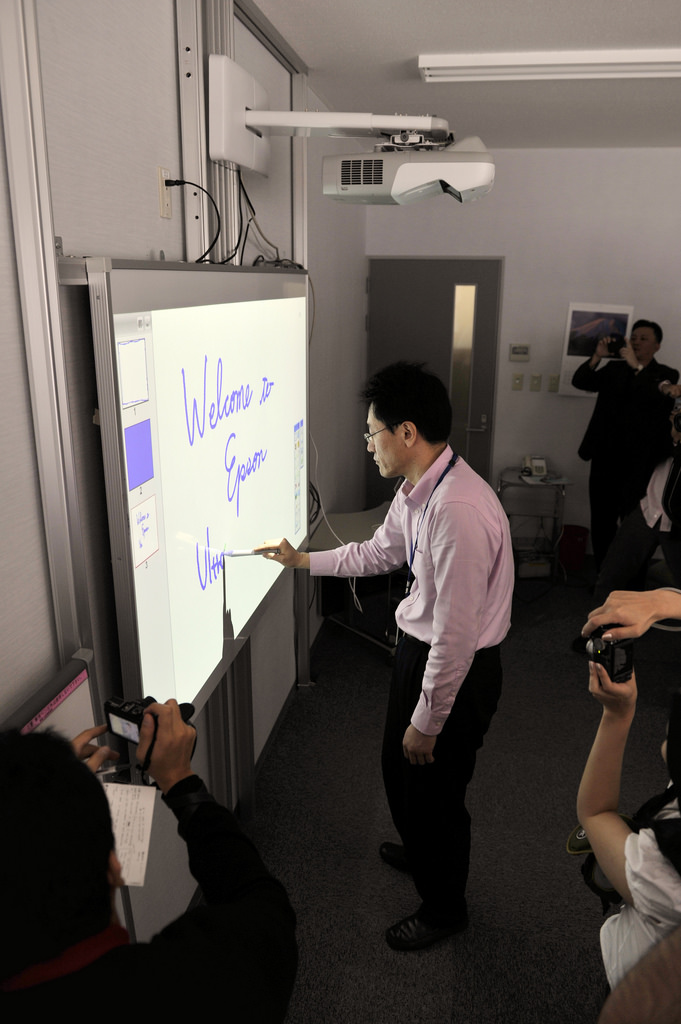
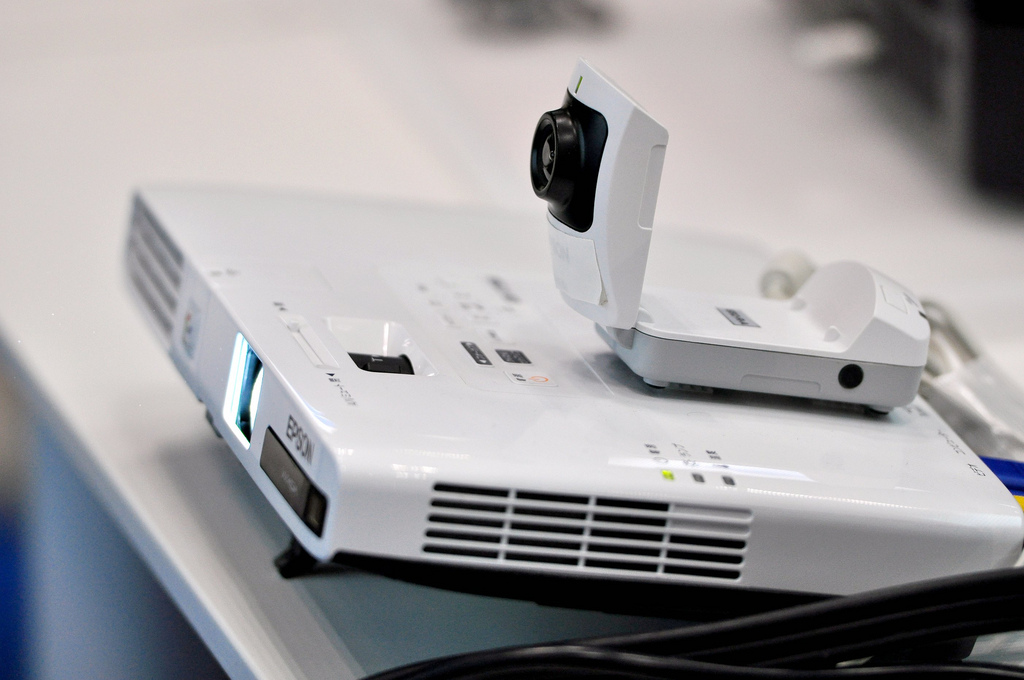
An interactive projector turns any flat surface like a plain wall, whiteboard or tabletop into a large, interactive canvas for learning. Unlike a normal projector, you can actually interact with the displayed content using a stylus or even with your fingers. This is made possible by tech such as infrared or digital light processing that can track movements when contact is made with the surface.
How a digital projector transforms a classroom
1. Improves engagement Learning through physical movement (also known as kinesthetic learning) keeps students more engaged. There’s an irresistible drawing power when interactive projectors like the Epson EB-695Wi can let students co-create by altering, annotating and interacting with learning materials.
2. Encourages collaboration
Studies have shown that being able to work on a problem in a team can improve retention and engagement. A lot of our interactive projector Epson models carry dual pen capabilities meaning students and teachers can contribute to content at the same time.
And it gets even better.
In today’s BYOD (bring your own device) classrooms, teachers can connect up to 50 laptops, tablets or smartphones to the interactive projector via the network. So imagine sending questions to student devices, receiving their answers back and then displaying particular answers for discussion.
3. Lets you teach on a BIG screen It lets you teach your lesson plan in ultra bright HD on a very big screen. Without getting too technical, there’s a term called ‘throw’ which is the amount of distance needed between the projector and the flat surface that you’ll be using to view content.
We carry interactive projectors with ultra-short throw presentation displays. This means you can get a 100” image from as little as 28cm away with next to zero shadow interference.
4. Reduces the annoyance of note-taking Note taking is a pain for everyone involved. As the teacher, taking too long to write notes out for students to copy means you risk losing their attention. As the student, there’s nothing more disengaging than copying words down for half the lesson.
Interactive projectors have file sharing capabilities that lets you share your notes digitally at the end of the lesson.
So what can your lessons look like?
Put it this way… they can be so fun and creative that they won’t even look like lessons.
We’ll be taking a closer look at the possibilities soon but here’s a taster.
Explore sites without leaving the classroom
Thanks to Google Earth and virtual tours, you can take students on tours through the ancient ruins of Pompeii, the Louvre Museum, and anywhere imaginable on earth.
Spice up your PE class
In 2017, a teacher in America uploaded a video of one of his gym class exercises. It’s now sitting at over 81 million views.
A game app was downloaded onto an iPad which was then wirelessly displayed on the wall using an interactive projector.
Thanks to tech and a bit of imagination, this teacher has completely reinvented the game of dodge ball. By throwing balls at virtual bugs on the wall, no one gets hurt but everyone still gets to work up a sweat.
PE teacher of the year anyone?
Tech like interactive projectors is no longer just a fun, shiny toy that would be great to have in the classroom. It’s fast becoming a necessity.
Outside the classroom, kids are navigating the world through technology.
A classroom that struggles to keep up with the learning behaviours of kids today runs the risk of hindering their learning development.
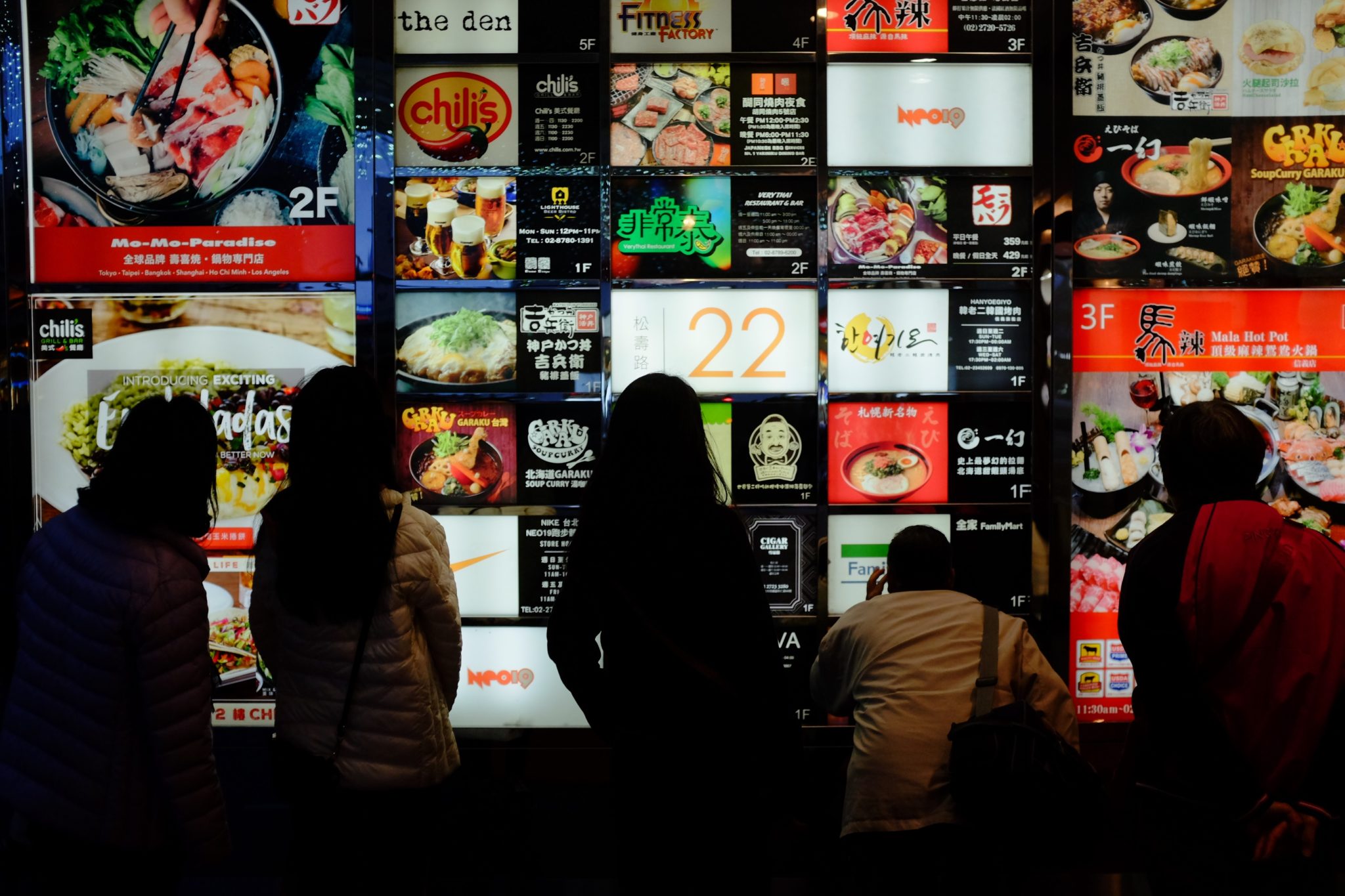
Consider the characteristics of the average restaurant patron in 2019.
They’re highly visual. Food selfies are as popular as ever and visually-driven social media platforms like Instagram and Snapchat continue to rule the day. They’re also time-poor. No one has time to carefully examine what you have to offer. If you want to attract customers, your most important selling points need to be, excuse the pun, served on a plate.
The global digital signage industry will grow to $30.71 billion USD with an annual growth rate of 7.9%. The restaurant and food service sector is expected to be one of the fastest growing areas of this industry as restaurants continue to embrace digital media.
If you’re still trying to entice your customers with traditional static print menus and posters, don’t be surprised if you’re left with a quiet kitchen.
Here’s a full course look at how digital menu boards can transform your eatery.
A Digital Menu is Worth a Thousand Bites
Let’s face it, we’re visual creatures. We’re naturally drawn to moving, dynamic visuals over static images. So it’s no surprise when studies reveal that 8 out of 10 customers have entered a store because of a digital sign grabbing their attention.
A digital menu board allows you to bring your menu to life. It goes beyond simply listing what you have to offer.
It gives your customers a much better preview of what’s cooking in the kitchen, it allows you to control where people’s eyes go, it informs and entertains your customers while they wait, and ultimately, it has the visual power to grab attention, make mouths salivate and stomachs growl.
Thanks to the animated nature of digital menu boards, you can share more information without bothering the viewer’s eyes. More information shared means more purchases which means a more appetising bottom line. If you’re still stuck in print land, this is what you’re up against.
Up the Upsell
We’re also impulsive consumers. It’s why thirst-quenching drinks and irresistible chocolate snacks are placed at the checkout line in supermarkets and convenience stores. The same principle applies to restaurants. Digital menu boards can greatly increase your restaurant’s upsell rate by displaying complementary or promotional items during the ordering process.
Think fries, desserts and limited time only flavours – hard to say no to at the point of sale.
Save Time, Money and Headaches
Let’s go back to the days before digital menu boards. Say you had to make some changes to your menu.
You’d have to pay to have it redesigned, reprinted, shipped, posted, and rely on your front-line staff to take old versions down and replace them with the new. There’s no telling how long production times can stretch out to. And then you discover a dreaded typo which becomes a very expensive mistake. Sounds like the Dark Ages doesn’t it?
Now say you had to make changes to your digital menu boards. Thanks to digital signage software, you have full control over how your menu should look, cutting out the middlemen to make changes instantly. You can tinker and rotate items based on their sales performance at will. One change can also update the digital menus in all your restaurants, no matter where they are or how many you have. Best of all, you can manage your entire system’s content from the convenience of your office or couch. While the up-front cost to digital menu boards may be higher than print, you’ll be saving in the long run. 88.5% of businesses recoup their digital menu board investment in less than 2 years.
Be Breakfast, Lunch and Dinner Ready
Digital menu boards allow you to automatically schedule a different menu to be displayed based on the time of day or day of the week. So now you can maximise revenue by serving the breakfast, lunch and dinner crowd like clockwork without having to physically change out menus with one eye on the clock.
Reduce Perceived Wait Times
A digital menu board gives you much more scope to share engaging content.
Entertain your patrons with social feeds, trivia, fun facts, recipe videos… the opportunities are endless. And when they’re entertained, they’ll notice that they’re waiting less. In fact, studies have shown that digital signage can reduce perceived waiting time by as much as 35%.
Help Customers Choose
Gooey cheese, glazed meat, golden brown fries… if there’s one thing digital menu boards do best, it’s to show off irresistible imagery that you can almost taste. Patrons order quicker when they can choose based on what the food looks like rather than reading words. And ordering quicker means you’ll be serving more people and reaping more sales.
Be on Top of Menu Labeling Laws
There are also external factors that may need you to change and update your menu boards such as digital signage Melbourne laws for the food service industry.
From 1 May 2018, the Victorian Government enforced a kilojoule labelling scheme for chain food businesses and supermarkets to display the kilojoule count of items on menu boards to help consumers make healthier food choices.
Digital menu boards can save you from this regulatory compliance headache. As your ingredients or recipes change, you can instantly update the caloric load of items without having to reprint menus.
Tell Your Story 24/7
Let’s face it, commercial kitchens close pretty early in Australia. But that doesn’t mean you can’t continue to engage with passersby. If your restaurant is in a busy area, take advantage by setting up an evening schedule of delicious content so people will feel compelled to book a table for the next day.
The way to your customers’ heart is through their stomach. Don’t let dull, outdated and expensive print menus be your roadblock.
Don’t take off your bib yet, soon we’ll also be exploring trending digital menu board designs as well as new and exciting technologies that restaurants are adopting to push the food service industry forward.
Move over whiteboards. Display technology has transformed the world of presenting and instructing. It’s making learning more fun, interactive and ultimately, more engaging.
We get asked two questions a lot by educational institutions and businesses – “what is the difference between an interactive projector and an interactive display?” This is usually followed by “…and which one should we go with?”
The right display tech for you will depend on several factors, all of which we’ll cover below.
So it’s time to set the record straight. Notebooks out, eyes at the front please.
What is an Interactive Projector?
An interactive projector involves a projector and a whiteboard. The projector is the source of content being displayed and is usually mounted to the ceiling or wall. The whiteboard acts as the screen to display the projected content.
Sounds like a normal projector set up right? Wrong. Here’s where it gets exciting for the classroom or boardroom. You can actually interact with the projected content using an interactive pen or even with your fingers.
This is made possible by tech such as infrared or digital light processing that can track movements when contact is made with the whiteboard.
Now you can annotate to your heart’s content!
What is an interactive Display?
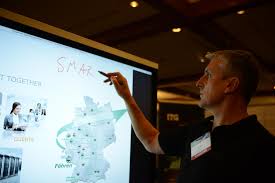
An interactive display is a screen with touchscreen interaction. Think of it as a really really big tablet. Like interactive projectors, the screen will respond to finger touch or a stylus.
Display Size
Size is arguably the most important factor. You must consider your audience. For schools, the minimum recommended screen size in a standard classroom is 70”. Anything smaller and you run the risk of students not being able to read the content.
With this in mind, interactive projectors have a huge advantage in that they’re capable of projecting an image as large as 100”.
Functionality
Interactive projectors usually require a connection to an input source like a laptop, PC or tablet. However, higher end models like the Epson MeetingMate range have both PC free whiteboard and annotation functions.
In contrast, most interactive displays already act like computers and therefore won’t need to connect to other devices. An example of this is the InFocus JTouch Series displays. Whether it’s an interactive projector or display, choosing one that doesn’t need a connection to other devices ultimately means an easier set up and less training required.
Image Quality
Interactive displays will generally offer a crisper, brighter and more colourful image than interactive projectors.
If you do opt for an interactive projector, consider these factors. The image quality will diminish over time due to the finite nature of projector lamps. An interactive projector will also deliver better image quality under darker environments. Having blinds closed or lights turned off may not always be ideal for audience interaction particularly in classrooms.
Maintenance
While an interactive display has a higher initial cost, it evens out when you factor in the maintenance costs of interactive projectors. These include lamp and filter replacements.
If minimal upkeep is what you’re after, an interactive display will be the better choice.